Gdog is a powerful accessibility companion that scans your Google Docs™ in real-time. Built on the core principles of WCAG 2.1, Gdog tracks down critical barriers and provides the guidance you need to fix them.
Gdog guides the Way
Gdog uses a unique visual tagging method, injecting paw prints directly into your document to surround problematic elements. These markers provide guidance for both sighted users (via high-contrast icons) and screen reader users (via hidden text labels).
Gdog tracks down Issues
Missing or low-quality alt text
Gdog sniffs out missing descriptions for inline images, floating images, and drawings. They also catch low-quality placeholder text and provide a way to label images as decorative.
Heading Structure
Gdog traces your document structure to flag skipped heading levels and duplicate heading text.
Contrast & Formatting
Gdog finds color contrast ratios that don't meet WCAG AA standards, as well as small fonts, and extra blank lines and spaces.
Links
Flags non-descriptive link text (like "click here") and bare URLs that may disrupt the reading experience.
Getting Started
How to start the hunt:
- Open any Google Doc.
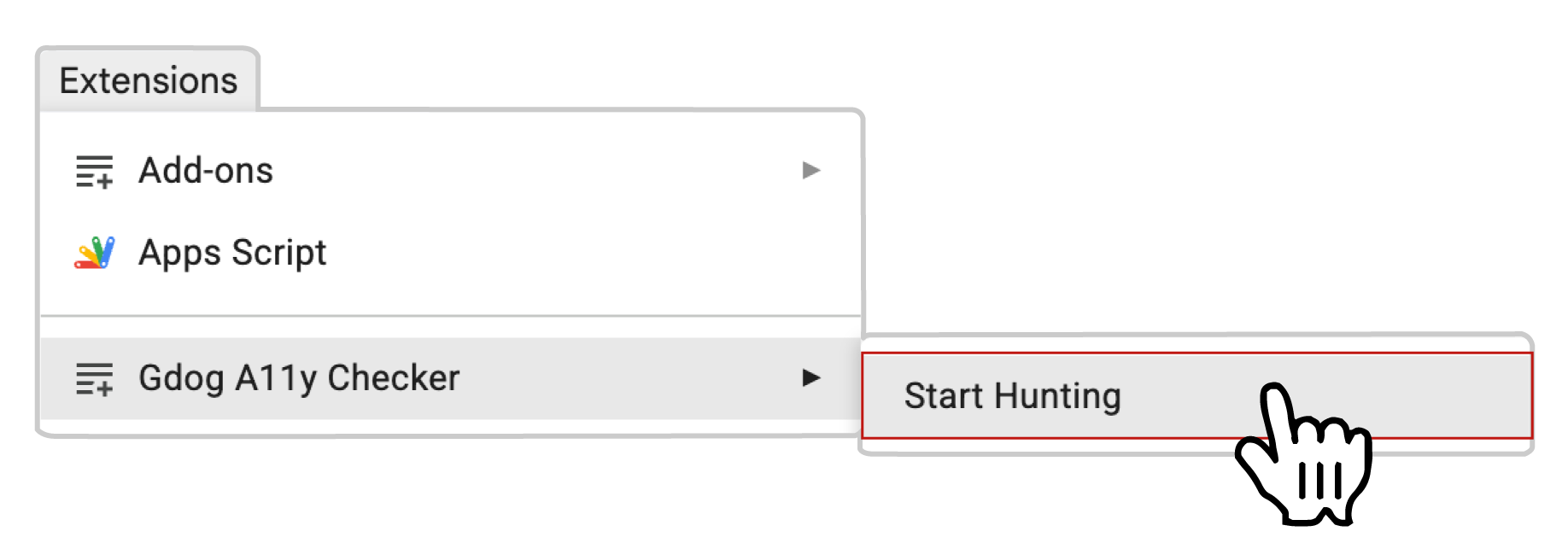
- Go to the Extensions menu at the top.
- Select Gdog A11y Checker > Hunt.
- Gdog will hunt for accessibility issues and place paw markers to guide you.
Support
Feel free to contact George at g.joeckel@usu.edu with questions and feedback.
Privacy Policy
Gdog operates under the strict documents.currentonly scope, which only grants temporary access to an open Google Doc. Gdog never collects your data.
Terms of Use
By using the Gdog A11y Checker, you agree that the software is provided "as is" and any processing is performed entirely within your own Google account environment.