Getting Started
How to start the hunt:
- Open any Google Doc™.
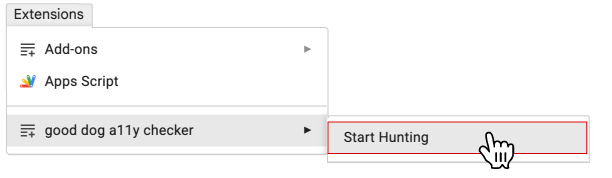
- Go to the Extensions menu at the top.
- Select Good dog a11y checker > Start Hunting.
- Good dog a11y checker will hunt for accessibility issues and place paw markers to guide you.
Important: good dog is smart and hard-working, but they can't find every accessibility issue. A manual evaluation is required to optimize the accessibility of a Google Doc™.